> ## Documentation Index
> Fetch the complete documentation index at: https://dynamic-docs-feat-sidebar-revamp.mintlify.site/llms.txt
> Use this file to discover all available pages before exploring further.
# Example apps
## Create Dynamic App
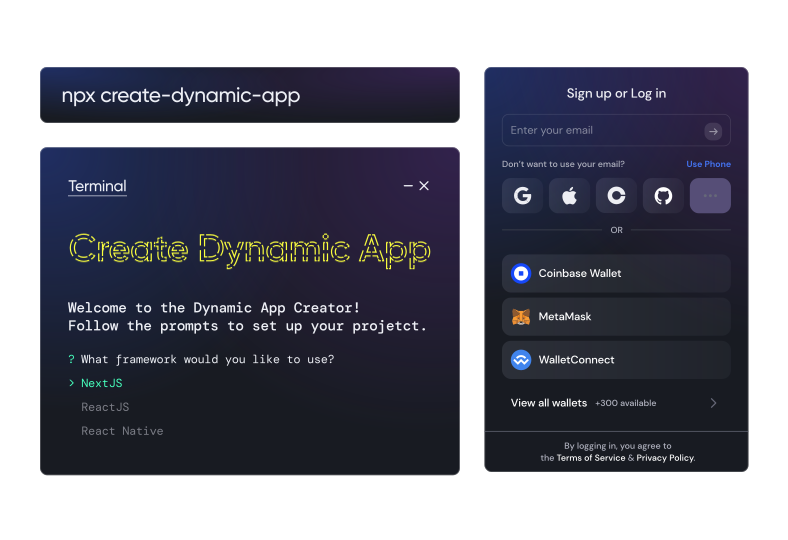
 Whether you need React, React Native or Next.js, whether you want to use Ethers or Viem, whether you want to use Wagmi or not, we've got you covered. Simply run the below command to get started, and follow the prompts!
```Create Dynamic App
npx create-dynamic-app@latest
```
## CLI Commands for `npx create-dynamic-app`
The `create-dynamic-app` CLI tool supports both interactive and non-interactive modes. You can bypass all interactive prompts by providing command-line arguments.
### Basic Usage
```bash
npx create-dynamic-app [project-name] [options]
```
### Available Options
| Option | Short | Description | Values |
| ------------- | ------------------- | ------------------------------------------------------------------ | --------------------------------- |
| `--help` | `-h` | Show help message | N/A |
| `--framework` | `-f` | Specify the framework to use | `nextjs`, `react`, `react-native` |
| `--pm` | `--package-manager` | Specify package manager | `npm`, `yarn`, `pnpm`, `bun` |
| `--library` | `-l` | Specify Ethereum library (only used if Ethereum chain is selected) | `viem`, `ethers` |
| `--wagmi` | N/A | Use Wagmi with Viem (only used if library is viem) | `true`, `false` |
| `--chains` | `-c` | Comma-separated list of chains to include | See chain options below |
### Chain Options
When using `--chains`, you can specify any combination of the following chains (case-insensitive):
* `ethereum`
* `solana`
* `flow`
* `starknet`
* `algorand`
* `cosmos`
* `bitcoin`
* `sui`
### Examples
#### Basic project creation (interactive)
```bash
npx create-dynamic-app my-app
```
#### Specify framework and package manager
```bash
npx create-dynamic-app my-app --framework nextjs --pm yarn
```
#### Create NextJS app with specific chains
```bash
npx create-dynamic-app my-app --framework nextjs --chains ethereum,solana
```
#### Create React app with Viem and Wagmi
```bash
npx create-dynamic-app my-app --framework react --library viem --wagmi true --pm pnpm
```
#### Create React Native app (uses special framework handling)
```bash
npx create-dynamic-app my-app --framework react-native --pm bun
```
#### Create Scaffold ETH project (uses special framework handling)
```bash
npx create-dynamic-app my-app --framework scaffold-eth --pm npm
```
### Important Notes
1. **Project Name**: If not provided, the CLI will prompt for one or use defaults:
* `my-dynamic-project` for NextJS/React
* `my-hacker-project` for Scaffold ETH
2. **Framework-Specific Behavior**:
* `react-native` and `scaffold-eth` use special repository cloning instead of template generation
* Only `nextjs` and `react` frameworks use the template generation system
3. **Ethereum Library Options**: The `--library` and `--wagmi` options are only relevant when Ethereum is included in the selected chains.
4. **Chain Selection**: If no chains are specified via `--chains`, the CLI will prompt for chain selection interactively.
5. **Directory Conflicts**: If the project directory already exists, the CLI will prompt for a new name.
### Complete Non-Interactive Example
1.
```bash
npx create-dynamic-app my-web3-app \
--framework nextjs \
--pm bun \
--chains ethereum,solana,cosmos \
--library viem \
--wagmi true
```
This command will create a NextJS project with:
* Project name: `my-web3-app`
* Package manager: Bun
* Supported chains: Ethereum, Solana, and Cosmos
* Ethereum library: Viem with Wagmi integration
* No interactive prompts
2.
```bash
npx create-dynamic-app my-web3-app \
--framework nextjs \
--pm bun \
--chains solana,cosmos
```
This command will create a NextJS project with:
* Project name: `my-web3-app`
* Package manager: Bun
* Supported chains: Solana, and Cosmos
* No interactive prompts
Whether you need React, React Native or Next.js, whether you want to use Ethers or Viem, whether you want to use Wagmi or not, we've got you covered. Simply run the below command to get started, and follow the prompts!
```Create Dynamic App
npx create-dynamic-app@latest
```
## CLI Commands for `npx create-dynamic-app`
The `create-dynamic-app` CLI tool supports both interactive and non-interactive modes. You can bypass all interactive prompts by providing command-line arguments.
### Basic Usage
```bash
npx create-dynamic-app [project-name] [options]
```
### Available Options
| Option | Short | Description | Values |
| ------------- | ------------------- | ------------------------------------------------------------------ | --------------------------------- |
| `--help` | `-h` | Show help message | N/A |
| `--framework` | `-f` | Specify the framework to use | `nextjs`, `react`, `react-native` |
| `--pm` | `--package-manager` | Specify package manager | `npm`, `yarn`, `pnpm`, `bun` |
| `--library` | `-l` | Specify Ethereum library (only used if Ethereum chain is selected) | `viem`, `ethers` |
| `--wagmi` | N/A | Use Wagmi with Viem (only used if library is viem) | `true`, `false` |
| `--chains` | `-c` | Comma-separated list of chains to include | See chain options below |
### Chain Options
When using `--chains`, you can specify any combination of the following chains (case-insensitive):
* `ethereum`
* `solana`
* `flow`
* `starknet`
* `algorand`
* `cosmos`
* `bitcoin`
* `sui`
### Examples
#### Basic project creation (interactive)
```bash
npx create-dynamic-app my-app
```
#### Specify framework and package manager
```bash
npx create-dynamic-app my-app --framework nextjs --pm yarn
```
#### Create NextJS app with specific chains
```bash
npx create-dynamic-app my-app --framework nextjs --chains ethereum,solana
```
#### Create React app with Viem and Wagmi
```bash
npx create-dynamic-app my-app --framework react --library viem --wagmi true --pm pnpm
```
#### Create React Native app (uses special framework handling)
```bash
npx create-dynamic-app my-app --framework react-native --pm bun
```
#### Create Scaffold ETH project (uses special framework handling)
```bash
npx create-dynamic-app my-app --framework scaffold-eth --pm npm
```
### Important Notes
1. **Project Name**: If not provided, the CLI will prompt for one or use defaults:
* `my-dynamic-project` for NextJS/React
* `my-hacker-project` for Scaffold ETH
2. **Framework-Specific Behavior**:
* `react-native` and `scaffold-eth` use special repository cloning instead of template generation
* Only `nextjs` and `react` frameworks use the template generation system
3. **Ethereum Library Options**: The `--library` and `--wagmi` options are only relevant when Ethereum is included in the selected chains.
4. **Chain Selection**: If no chains are specified via `--chains`, the CLI will prompt for chain selection interactively.
5. **Directory Conflicts**: If the project directory already exists, the CLI will prompt for a new name.
### Complete Non-Interactive Example
1.
```bash
npx create-dynamic-app my-web3-app \
--framework nextjs \
--pm bun \
--chains ethereum,solana,cosmos \
--library viem \
--wagmi true
```
This command will create a NextJS project with:
* Project name: `my-web3-app`
* Package manager: Bun
* Supported chains: Ethereum, Solana, and Cosmos
* Ethereum library: Viem with Wagmi integration
* No interactive prompts
2.
```bash
npx create-dynamic-app my-web3-app \
--framework nextjs \
--pm bun \
--chains solana,cosmos
```
This command will create a NextJS project with:
* Project name: `my-web3-app`
* Package manager: Bun
* Supported chains: Solana, and Cosmos
* No interactive prompts