> ## Documentation Index
> Fetch the complete documentation index at: https://dynamic-docs-feat-sidebar-revamp.mintlify.site/llms.txt
> Use this file to discover all available pages before exploring further.
# Transacting with Embedded Wallets
## Creating Transactions
Since embedded wallets function like any standard wallet, you can use them with all the common Web3 libraries and patterns. The key difference is that signing operations are performed using secure MPC between the user's key share and Dynamic's key share.
For detailed examples of wallet interactions, check out:
### EVM Examples
* [Sign a message](/wallets/using-wallets/evm/sign-a-message)
* [Sign typed data](/wallets/using-wallets/evm/sign-typed-data)
* [Send a transaction](/wallets/using-wallets/evm/send-balance)
* [Sign a transaction with Wagmi](/wallets/using-wallets/evm/send-a-transaction-wagmi)
* [Fetch wallet balance](/wallets/using-wallets/evm/get-wallet-balance)
### Solana Examples
* [Send legacy transaction](/wallets/using-wallets/solana/send-legacy-solana-transaction)
* [Send versioned transaction](/wallets/using-wallets/solana/send-versioned-solana-transaction)
## Transaction UI
By default, when a user needs to sign a transaction, they'll see a confirmation screen like this:
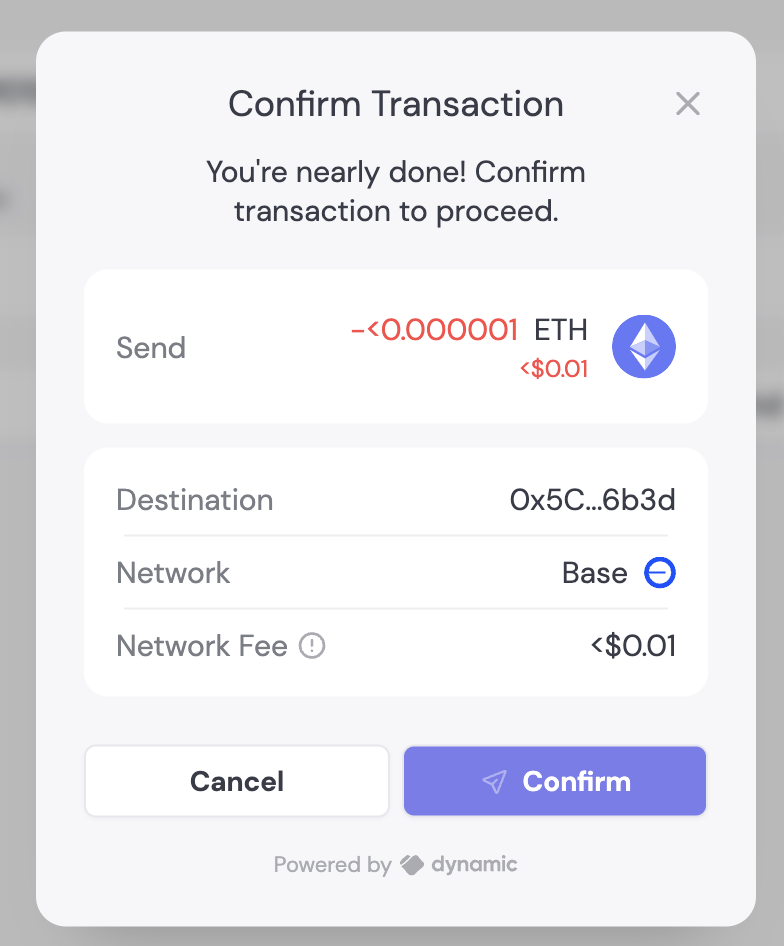 You can customize various elements of the transaction UI:
### Disable Confirmation Screen
You can enable/disable the transaction confirmation screen with a single toggle in the [Embedded Wallet configuration page](https://app.dynamic.xyz/dashboard/embedded-wallets/dynamic).
### Modal Title
Change the default "Confirm transaction" text using [Translations](/design-customizations/customizing-copy-translations):
## Transaction Simulation

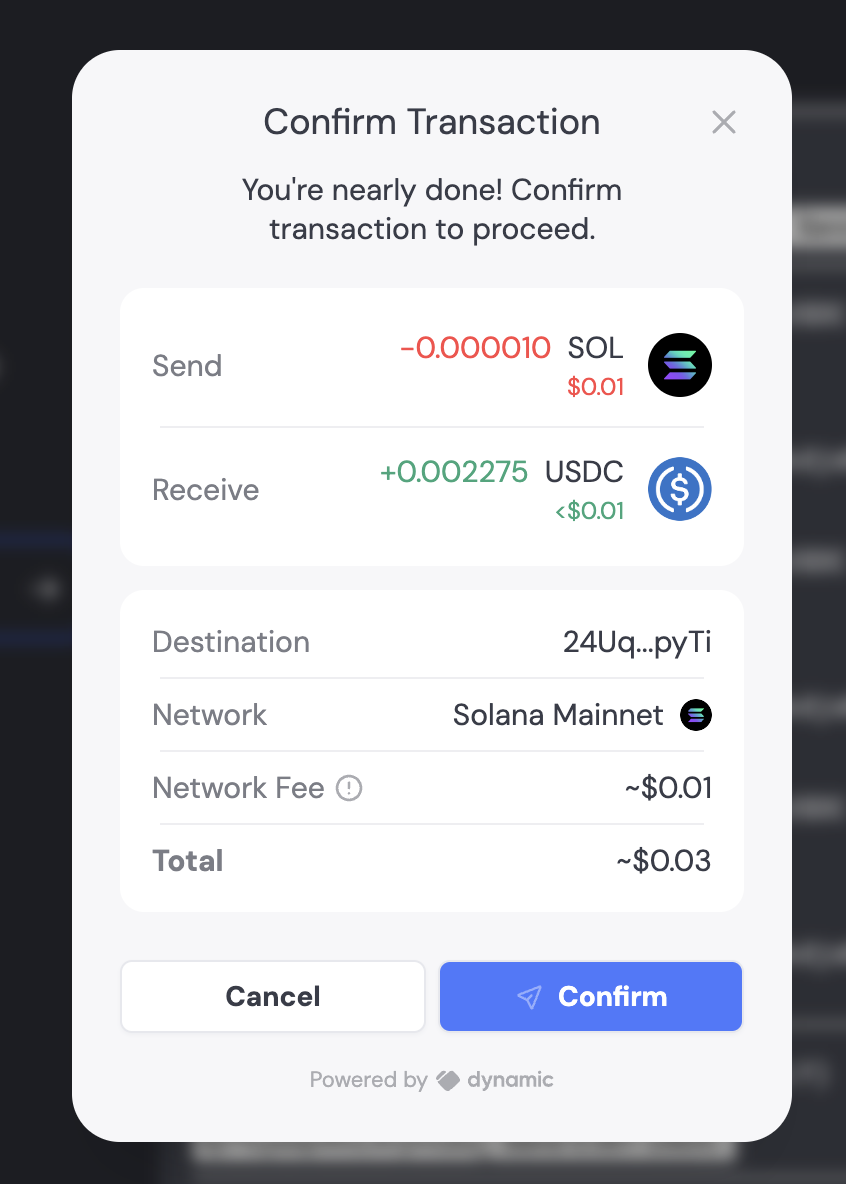
When enabled alongside the Confirmation UI, transactions will be simulated to display all asset transfers involved. For example, if you're swapping 0.1 SOL for USDC, the transaction UI will clearly show the assets being sent and received.
You can customize various elements of the transaction UI:
### Disable Confirmation Screen
You can enable/disable the transaction confirmation screen with a single toggle in the [Embedded Wallet configuration page](https://app.dynamic.xyz/dashboard/embedded-wallets/dynamic).
### Modal Title
Change the default "Confirm transaction" text using [Translations](/design-customizations/customizing-copy-translations):
## Transaction Simulation

When enabled alongside the Confirmation UI, transactions will be simulated to display all asset transfers involved. For example, if you're swapping 0.1 SOL for USDC, the transaction UI will clearly show the assets being sent and received.